

NVIDIA AIBOX + TensorRT:打造高性能实时语义分割应用
TensorRT: A Real-Time Semantic Segmentation
Why Semantic Segmentation on the Edge
Semantic segmentation goes one step beyond image classification: a classification network answers "what is in this image", while a segmentation network answers "for every pixel, what class does it belong to". This dense, per-pixel output is a prerequisite for many edge scenarios:
| Scenario | How the segmentation mask is consumed |
|---|---|
| Robot / autonomous vehicle perception | Separating drivable area (road, grass) from obstacles, feeding the navigation stack directly |
| Advanced driver assistance | Per-pixel labeling of lanes, pedestrians, and vehicles for planning and control |
| Campus / construction-site security | Human-region vs. background separation, reducing false alarms from generic motion detection |
| Industrial vision | Area and contour measurement of defect or material regions |
Pushing this computation to the cloud means continuously uploading raw video: a single 1080p camera easily produces 4–8 Mbps, and multi-camera deployments quickly make both bandwidth cost and latency uncontrollable — worse, many field sites simply have no reliable internet. Once inference is consolidated onto an edge box like the AIBOX, the only thing going upstream is structured results (masks, region ratios, alarm events) — orders of magnitude less data, and local perception keeps working when the network is down.
TensorRT's role here is making this idea practical. Semantic segmentation is a dense, per-pixel task with an order of magnitude more compute than classification; running it on an edge GPU through vanilla PyTorch/ONNX Runtime rarely reaches real-time frame rates. TensorRT lifts the achievable FPS on the same Jetson hardware several-fold to tens-fold through graph optimization and precision quantization, turning "real-time streamed segmentation on a 60–160 TOPS box" into a deliverable engineering goal.
NVIDIA Series AIBOX
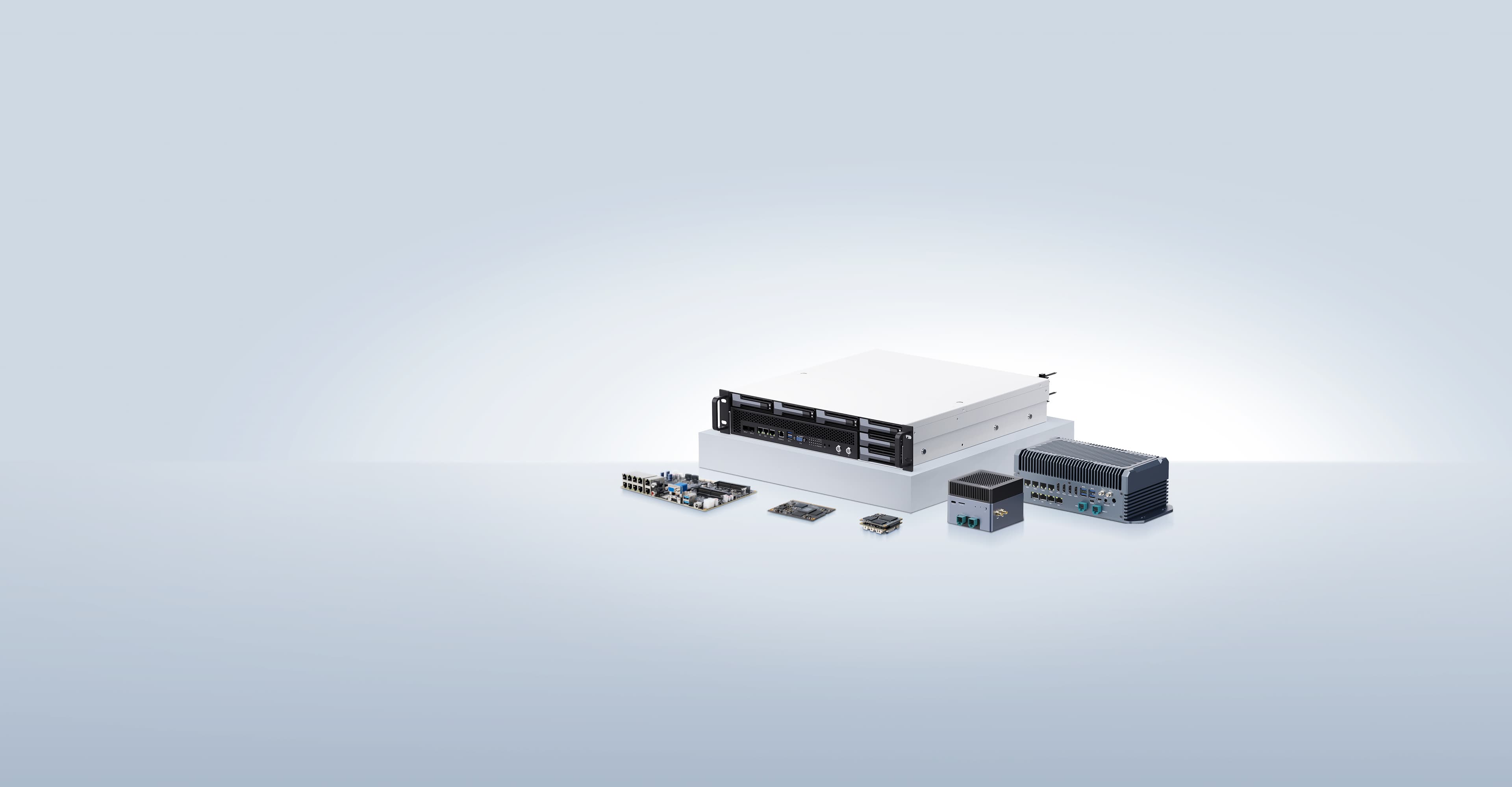
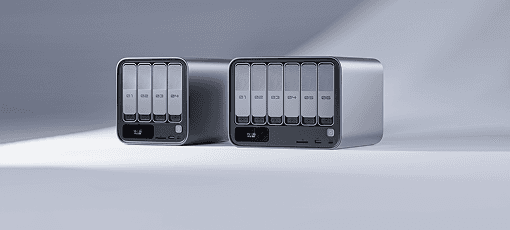
The AIBOX-OrinNano and AIBOX-OrinNX are both equipped with original NVIDIA Jetson Orin core modules. They come standard with industrial-grade all-metal casings and aluminum alloy structures for heat dissipation. The top cover features a strip grille design on the side for efficient cooling, ensuring computational performance and stability even under high-temperature operating conditions, meeting various industrial application requirements.
| AIBOX-OrinNX | AIBOX-OrinNano | |
|---|---|---|
| Module | Jetson Orin NX 16GB | Jetson Orin Nano 8GB |
| AI Performance | 157 TOPS | 67 TOPS |
| GPU | 1024-core NVIDIA Ampere architecture GPU with 32 Tensor Cores | 1024-core NVIDIA Ampere architecture GPU with 32 Tensor Cores |
| CPU | 8-core Arm Cortex-A78 64-bit CPU 2MB L2 + 4MB L3 | 6-core Arm Cortex-A78 64-bit CPU 1.5MB L2 + 4MB L3 |
| DDR | 16GB 128-bit LPDDR5 102.4GB/s | 8GB 128-bit LPDDR5 68 GB/s |
| HDMI | 4K@60Hz | 4K@30Hz |
TensorRT: The Inference Accelerator on the Edge
The NVIDIA series AIBOX supports the deep learning framework TensorRT. TensorRT is an SDK and runtime ecosystem for high-performance deep learning inference, providing low latency and high throughput for production deployments. The ecosystem includes TensorRT, TensorRT-LLM, TensorRT Model Optimizer, and TensorRT Cloud.
NVIDIA's official list of TensorRT advantages:
- Inference speed increased by up to 36x
- Optimized inference performance
- Accelerated various workloads
- Deploy, run, and scale using Triton
In engineering terms, TensorRT does four things:
| Optimization | What it does | Why it matters for segmentation |
|---|---|---|
| Layer & tensor fusion | Merges chains like Conv+BN+ReLU into a single kernel | Fewer kernel launches and far less intermediate-tensor memory traffic |
| Precision quantization | FP32 → FP16 / INT8, leveraging Tensor Cores | FP16 is nearly lossless; INT8 requires calibration but adds another tier of speed |
| Kernel auto-tuning | Picks the best kernel implementations for the current GPU during engine build | The same ONNX yields an optimal engine on each device (Nano vs Orin) |
| Engine serialization | Optimized results cached as an .engine file, loaded in seconds afterwards | A slow first run (minutes-long build) is expected behavior, not a fault |
Semantic Segmentation and SegNet
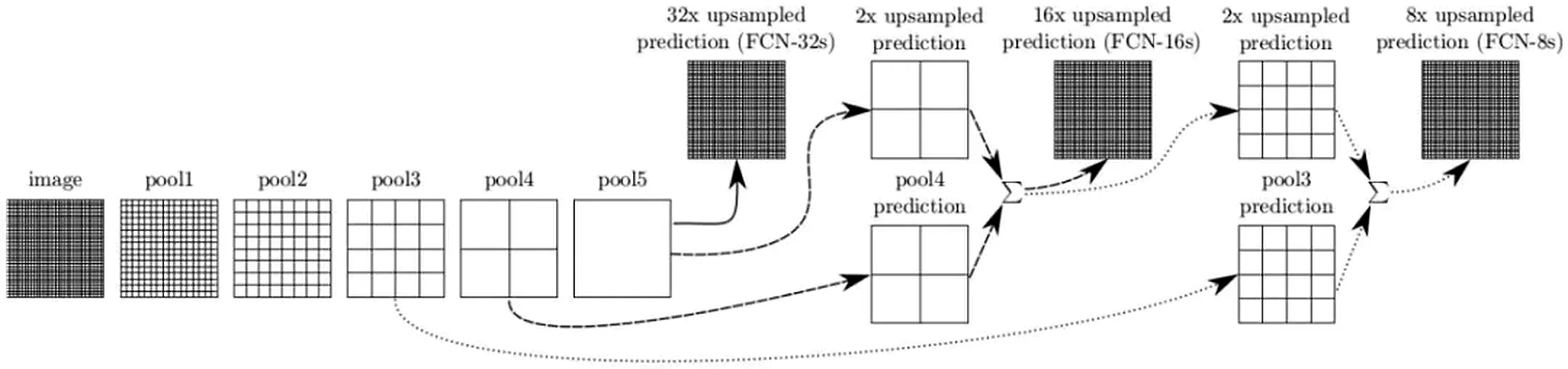
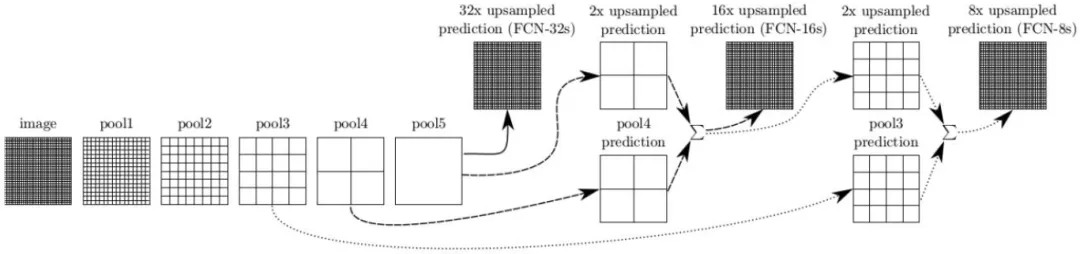
Semantic segmentation is based on image recognition, but classification is performed at the pixel level rather than on the entire image. This is achieved by convolutionalizing a pre-trained image recognition backbone, converting the model into a Fully Convolutional Network (FCN) capable of per-pixel annotation. Semantic segmentation is particularly useful for environmental perception, as it allows for dense per-pixel classification of many different potential objects (including foreground and background) in each scene.
SegNet Model
The novelty of SegNet lies in the way the decoder upsamples its lower-resolution input feature maps. Specifically, the decoder uses the pooling indices computed in the corresponding encoder's max-pooling steps to perform non-linear upsampling. The upsampled feature maps are sparse, so trainable convolution kernels are subsequently used to generate dense feature maps. This "pooling-index reuse" design avoids the cost of learned upsampling parameters and lands on a memory-vs-accuracy trade-off well suited to edge deployment — one reason SegNet/FCN-style architectures have long been the default segmentation entry point in the Jetson ecosystem.
Pre-trained Segmentation Models in jetson-inference
The segNet module ships with a set of FCN-ResNet18 pre-trained models covering street scenes, humans, indoor scenes, and outdoor trails:
| Dataset | Input resolution | Network argument | Pixel accuracy | Jetson Nano | Jetson Xavier |
|---|---|---|---|---|---|
| Cityscapes (street scenes, 21 classes) | 512x256 | fcn-resnet18-cityscapes-512x256 | 83.3% | 48 FPS | 480 FPS |
| Cityscapes | 1024x512 | fcn-resnet18-cityscapes-1024x512 | 87.3% | 12 FPS | 175 FPS |
| Cityscapes | 2048x1024 | fcn-resnet18-cityscapes-2048x1024 | 89.6% | 3 FPS | 47 FPS |
| DeepScene (forest trails) | 576x320 | fcn-resnet18-deepscene-576x320 | 96.4% | 26 FPS | 360 FPS |
| DeepScene | 864x480 | fcn-resnet18-deepscene-864x480 | 96.9% | 14 FPS | 190 FPS |
| Multi-Human (human parsing) | 512x320 | fcn-resnet18-mhp-512x320 | 86.5% | 34 FPS | 370 FPS |
| Multi-Human | 640x360 | fcn-resnet18-mhp-640x360 | 87.1% | 23 FPS | 325 FPS |
| Pascal VOC (21 general classes) | 320x320 | fcn-resnet18-voc-320x320 | 85.9% | 45 FPS | 508 FPS |
| Pascal VOC | 512x320 | fcn-resnet18-voc-512x320 | 88.5% | 34 FPS | 375 FPS |
| SUN RGB-D (indoor) | 512x400 | fcn-resnet18-sun-512x400 | 64.3% | 28 FPS | 340 FPS |
| SUN RGB-D | 640x512 | fcn-resnet18-sun-640x512 | 65.1% | 17 FPS | 224 FPS |
Hands-On Deployment
System Preparation
Set the power mode to maximum first:
$ sudo nvpmodel -m 0        # MAX-N mode (Orin Nano defaults to 15W)
$ sudo jetson_clocks        # Lock CPU/GPU/EMC clocks to maximum
All official performance figures are measured under MAX-N. At the default power mode the GPU clock is capped and frame rates drop noticeably. Also keep jtop or tegrastats handy for live monitoring:
$ tegrastats # CPU/GPU utilization, clocks, temperature, power drawDownload the Source Code
$ git clone --recursive --depth=1 https://github.com/dusty-nv/jetson-inference
$ cd jetson-inference
Install Dependencies and Build
$ sudo apt-get update
$ sudo apt-get install git cmake libpython3-dev python3-numpy
$ mkdir build && cd build
$ cmake ../
$ make -j$(nproc)
$ sudo make install
$ sudo ldconfig
Reference: https://github.com/dusty-nv/jetson-inference/blob/master/docs/building-repo-2.md
Download the Models
$ cd jetson-inference/tools
$ ./download-models.sh
The script presents an interactive menu for selecting models. Segmentation-only, non-interactive download is also available:
$ ./download-models.sh --non-interactiveModels land in jetson-inference/data/networks/, each consisting of .onnx weights plus class labels and a color map.
Run the Example
Segment a single image:
$ cd jetson-inference/build/aarch64/bin
$ ./segnet.py --network=fcn-resnet18-cityscapes input.jpg output.jpg
View the result once processing completes:
$ eog output.jpgThe output is the original image overlaid with the segmentation mask, one color per class. Use the --overlay and --alpha options to switch between raw mask, blended, or plain overlay.
Feeding Live Video Streams
Single images are just a smoke test — real deployments are stream-based. jetson-inference abstracts inputs and outputs behind unified videoSource/videoOutput interfaces:
# USB camera (/dev/video0) live segmentation, rendered to the HDMI display
$ ./segnet.py --network=fcn-resnet18-cityscapes /dev/video0

# CSI camera (IMX219/IMX477, etc.)
$ ./segnet.py --network=fcn-resnet18-cityscapes csi://0

# RTSP camera in, segmented result streamed out over RTP
$ ./segnet.py --network=fcn-resnet18-cityscapes \
    rtsp://admin:password@192.168.1.100:554/stream1 \
    rtp://192.168.1.50:1234

# Video file in, MP4 out (offline batch processing)
$ ./segnet.py --network=fcn-resnet18-cityscapes input.mp4 output.mp4
Adding --stats prints per-frame timing broken down by stage (capture / pre-process / network / post-process / render) — first-hand data for locating pipeline bottlenecks:
$ ./segnet.py --network=fcn-resnet18-cityscapes --stats /dev/video0