



MaskRom Mode
The RK182X development kit does not provide a Loader mode. USB firmware upgrades and bootloader recovery must use the board's MaskRom key.
Read the instructions carefully and operate with the board powered off.
Enter MaskRom Mode
- Disconnect the development kit from the power supply.
- Set the
USB SELswitch to1. - Connect the OTG port to the host computer with a Type-A data cable.
- Press and hold the board's
MaskRomkey. - Power on the development kit while holding the key.
- Check the upgrade tool for a MaskRom device.
- Release the key after the device is detected.
The board is now ready for firmware writing.
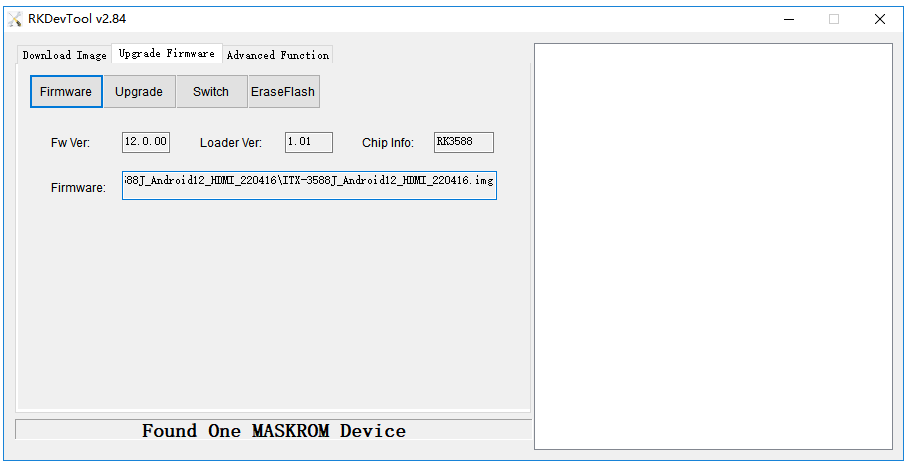
Check MaskRom Mode
Windows
AndroidTool should display a MaskRom device in the device list. If the device is not detected, check the USB driver, the Type-A data cable, the USB SEL switch, and the OTG connection.
Linux
Run upgrade_tool and check whether the connected device is listed as MaskRom:
sudo upgrade_tool